Last updated Oct 01, 2026 at 12:10am
Here's the things that got done this month for both the website and the Cursor Editor. Some of these are big workflow enhancements in the editor, led by the new Batch Color tool, some are visible new controls you can click right on cursor pages, and others are long-standing bug fixes that finally got ironed out.
Here is a breakdown of what has landed, what is in the pipeline, and where things stand with user accounts.
In the Cursor Editor
Batch Color processing with safety backups
If you want to create a themed variant of an entire cursor set (like converting a blue theme to purple, or adjusting saturation across a dozen icons), you no longer have to edit each cursor and frame individually. The new Batch Color tool lets you apply a hue shift, a tint, or a full recolor across your entire workspace at once, on every size and frame. You can also mark colors to leave alone, such as outlines and highlights.
Because modifying an entire project in bulk can be time consuming, Batch Color runs in a dedicated review window with a built-in safety net: you see every result before anything is saved, and nothing changes in your workspace until you click Keep Changes. You can also download a backup of your original cursors first. The backup is Windows cursor files (.cur and .ani), not a full editor backup, so layers are merged into one image.

Following Batch Color, our next major batch feature will be automated batch resizing for pixel art.
The motivation here is simple: monitors are getting enormous. 4K displays are common, 8K screens are slowly trickling in, and mobile devices pack crazy pixel densities. Between staring at computer screens for work and doom-scrolling on our phones at night, our collective eyesight is taking a beating. In another decade, half of us will probably need 512-pixel cursors just to figure out where we are pointing on the screen. We take pride in leading the way with support for larger modern cursor sizes, so you can count on us to keep innovating as displays evolve.
Canvas breathing room and edge zoom (Thanks, Phantom!)
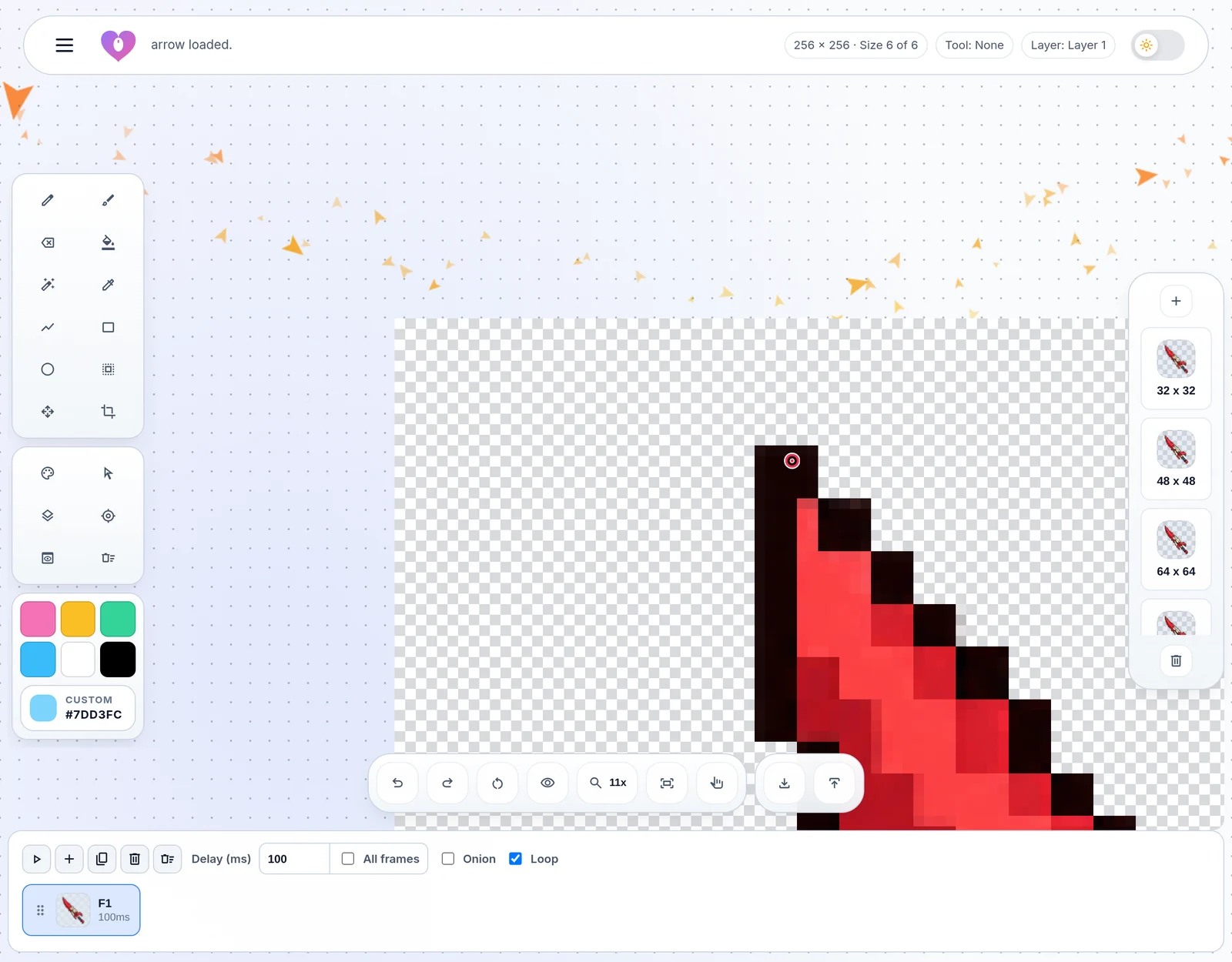
A community member named Phantom reached out with great feedback about working on pixel art at high zoom levels: when zooming in to tweak details, the canvas was pinned so close to the viewport edge that inspecting and drawing right along the border was awkward. Phantom has also been on roll with all the submissions of cursors sets and cursors. Thanks for sharing Phantom!
We reworked how the canvas interacts with the viewport. The workspace now reserves half a screen of breathing room around every edge of the canvas. You can pan smoothly past the center, wheel zooming anchors naturally to wherever your pointer is resting without annoying edge-jumping, and tools like the Brush, Pencil, and Eraser can now start and continue strokes beyond the canvas borders. Huge thanks to Phantom for the suggestion, and please keep the ideas coming!
Smarter imports: combining multi-size cursors and cleaner review
While the ability to import cursor packs and archives was introduced in our last update, we spent the last few weeks making improvements on the design, user experience, and workflow of the import dialog.
The biggest new addition is the ability to combine multi-size cursors into a single workspace item. Many cursor sets store separate files for different resolutions on our site (for example, having busy_32-48-64.ani for standard displays and busy_256.ani for high-DPI screens, or separate files for 32px and 64px static pointers). Previously, importing that set created multiple distinct cursor cards in your workspace for what was really just one cursor. Now, the editor recognizes matching filenames and resolution tags, giving you a one-click option to combine those extra sizes directly into their parent cursor. All sizes load neatly under one cursor in your workspace, exactly how you would want them.
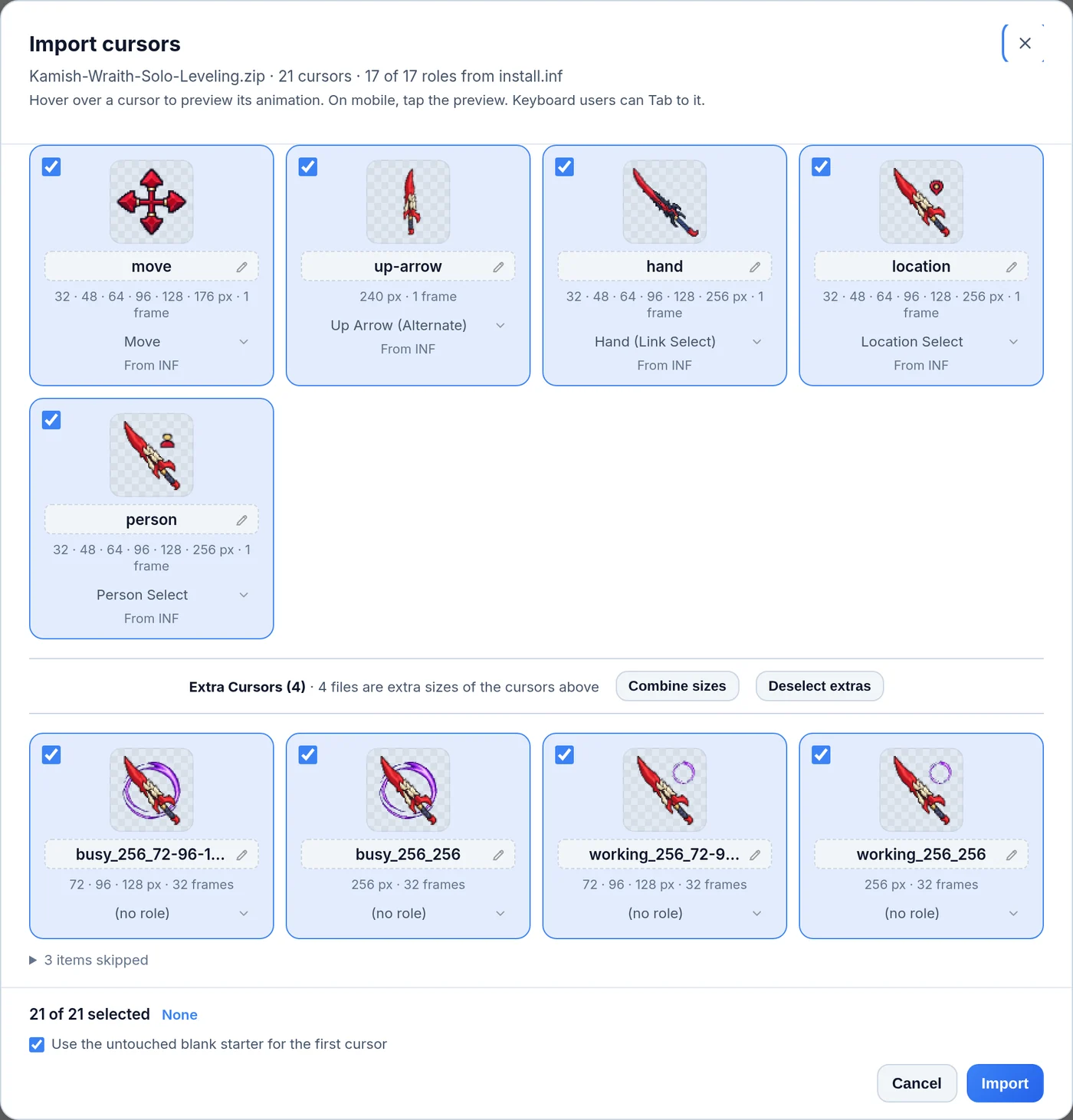
If you ever change your mind or want to edit a specific resolution independently, you can click Separate sizes to split them back apart into individual cards with zero loss of quality. We have also cleaned up the entire import review screen:
- Organized sections: Cursors recognized by Windows
install.infschemes appear first in standard role order, while extra non-scheme cursors and variant sizes sit cleanly in their own "Extra Cursors" section below a divider bar. - One-click selection controls: Added quick buttons to select or deselect all extra cursors at once, so you don't have to uncheck dozens of bonus files individually.
- Clean card titles: Card names automatically strip out clumsy file prefixes and resolution tags (like
_32-48-64), giving you clean, readable cursor names right from the start. - Clearer action buttons: Controls like "Combine sizes" and "Separate all" now use clear button styling rather than easily overlooked text links.
Upgrades to the submission window
Pre-submission review cards made their debut in our last update, but we have made several substantial upgrades to make reviewing and submitting your work much faster and more informative:
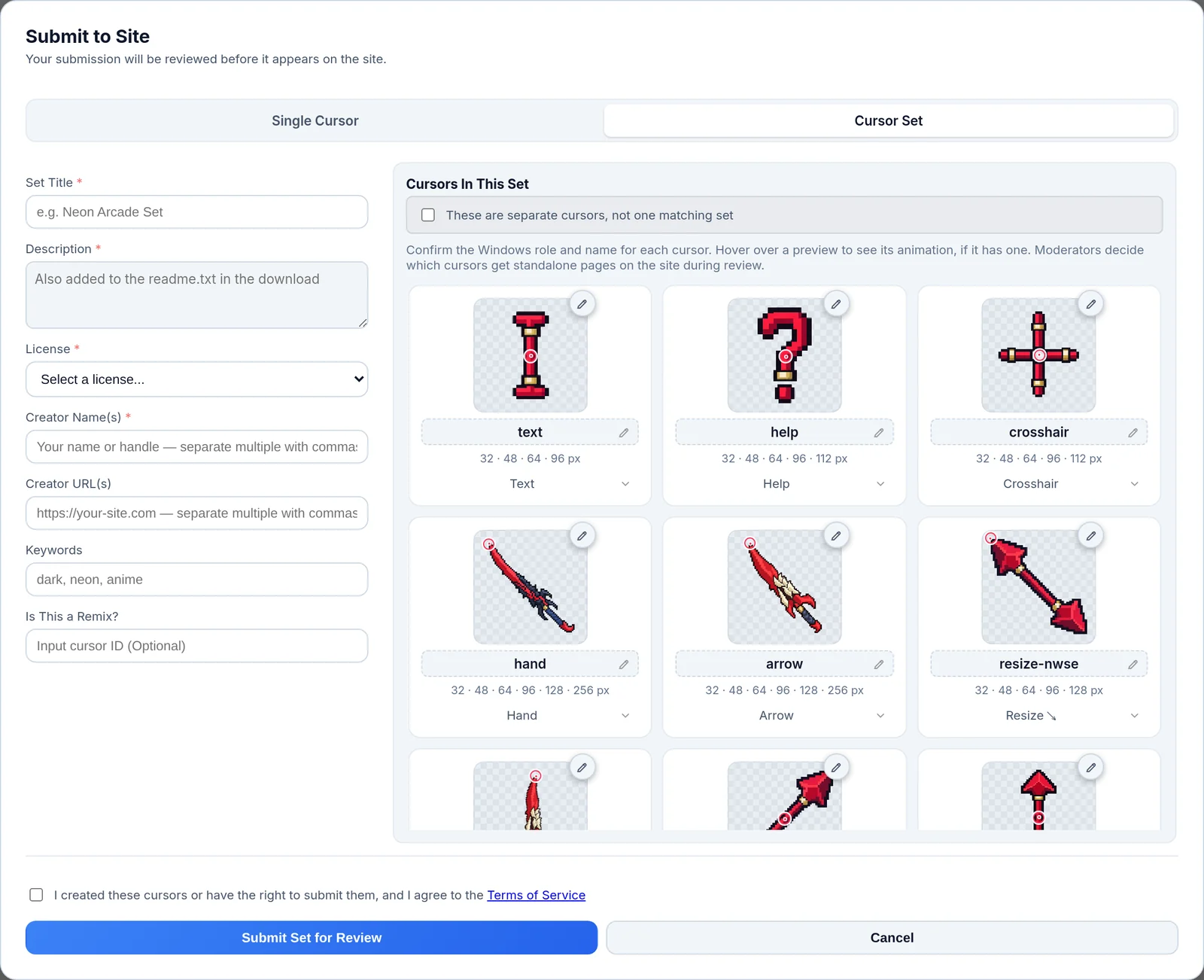
- Interactive animation previews on review cards: Every preview thumbnail in the submission window is now playable. Simply hover or focus a card to see its animation run in real time, complete with exact frame timings and hotspot movements. If you use reduced motion, clicking the thumbnail plays the animation on demand. Moving your mouse away smoothly returns it to frame 1.
- Jump-to-edit pencil badges: Spot something you want to touch up? Every review card (on both single cursors and full sets) now features a quick pencil badge next to the preview. Clicking it closes the submission window and immediately opens that cursor on your canvas at the exact size being reviewed, so you can fix an issue in seconds.
- Early validation and server progress: Submissions run instant client-side checks on URLs, descriptions, and licenses before uploading. Once sent, a live progress indicator keeps you informed while the server scans, verifies, and stages your files.
Other editor improvements
We have shipped plenty of smaller quality-of-life updates to the editor over the last few weeks:
- Set all frame timings at once: In the animation timeline, you can now toggle a single checkbox to apply your current frame delay to all frames in the animation simultaneously.
- Repeat Hue shift: Added a quick Repeat button for hue shifts so you can re-apply identical color adjustments across different layers or frames without re-entering numbers.
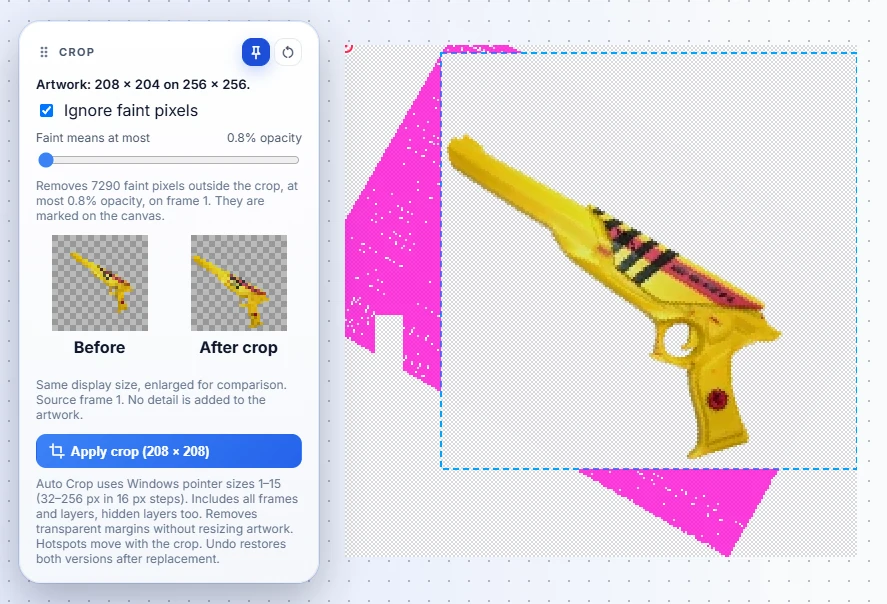
- Auto Crop can ignore faint pixels: The Crop tool (shortcut C) has a new Ignore faint pixels option for almost-invisible stray pixels that would otherwise keep your canvas at full size. It is off by default, and it shows you the pixels it would remove before you apply the crop. This was an issue because the auto crop wouldn't center or size it down properly. See the image below.
- Move layers past canvas edges: You can now drag and nudge layers past canvas boundaries without errors, with safety prompts to keep you from accidentally losing cropped artwork.
- The view stays centered: When a crop, a resize, or an undo changes the canvas size, the editor keeps your image centered on screen instead of letting it drift out of view.
- Direct ICO imports: The editor now imports
.icoicon files directly, including icon files that were mislabeled as.curfiles. - Under-the-hood stability: Caching optimizations, better keyboard shortcut handling when dialogs are active, and fixes to prevent draft and history rollbacks from getting confused.
On the Main Site
New preview controls on single cursor pages
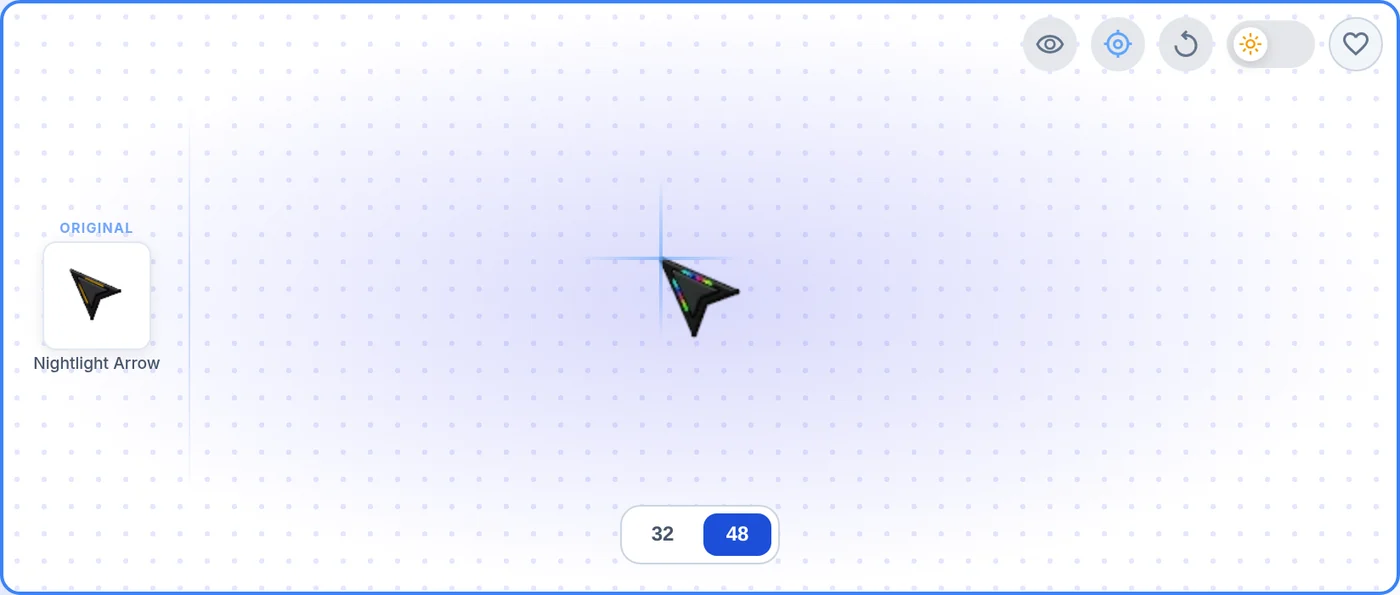
If you visit any single cursor page on desktop, you will spot a new set of utility buttons sitting right above the hero preview card:
- Live cursor preview toggle (eye icon): Click the eye icon and hovering the preview box swaps your mouse pointer with the cursor on the page, so you can test how it feels in action. It is off by default, so you keep your normal OS pointer until you ask for it. Your choice is saved in a cookie for up to a year, so once you turn it on, it stays on across the site without an extra click on every page.
- Show hotspot marker (target icon): Curious where the cursor actually clicks? The hotspot toggle draws two faint guide lines over the preview that cross on the exact pixel Windows registers as the click point, making it easy to see if a pointer clicks right from the arrow tip or from the center of a crosshair. This preference is remembered for a year as well.
- Replay animation button (circular arrow): Many animated cursors play an introductory sweep or spin and then hold on their final frame, such as the O.S.S Old School Style set. Previously, once an animation finished its run, you had to refresh the entire browser page to see it again. The new replay button restarts the animation loop instantly on demand. This button appears on cursor sets too!
Daily trending now features 100 cursors
Our Trending page has been expanded to display 100 cursors. The first 48 cursors load with the page to keep grid layouts clean and balanced across all screen sizes, and clicking Load More pulls in the remaining 52.
Behind the scenes, we are currently testing an updated trending algorithm privately to make sure community favorites rise to the top fairly. We are also building dedicated trending views that let you sort specifically by total downloads, page views, and community favorites.
Opt-in reply emails and comment form updates
We gave our comment system a much-needed overhaul to make conversation notifications respectful and transparent:
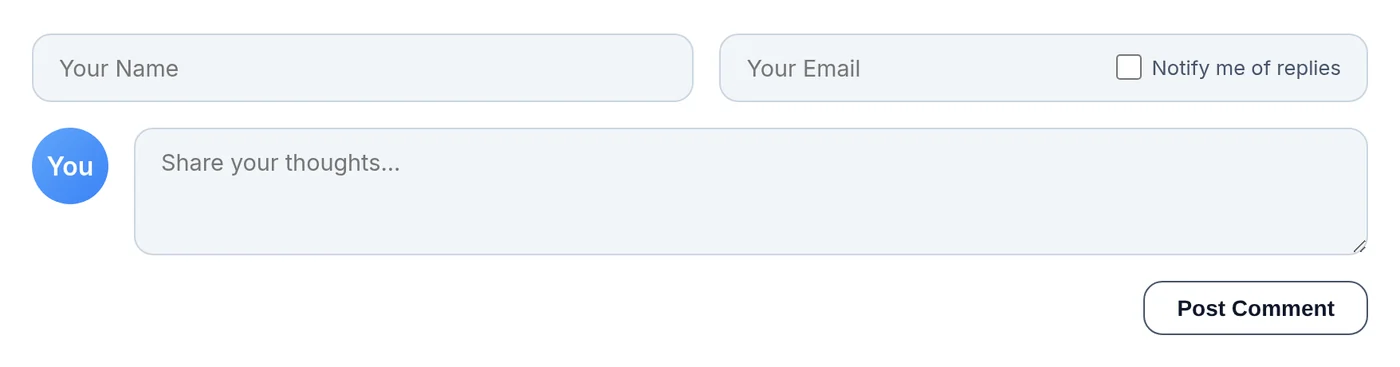
- Opt-in "Notify me of replies" checkbox: Leaving a comment on a cursor or blog post now includes a "Notify me of replies" checkbox. It is unticked by default, meaning you will only receive an email notification if you explicitly choose to.
- One-click unsubscribe: Every reply notification email includes a clear unsubscribe link in the footer and supports modern one-click unsubscribe in mail clients like Gmail and Yahoo.
- Permanent suppression protection: Clicking unsubscribe takes you to a private, lightweight management page. Once you unsubscribe, your email stays off the reply notification list until you turn it back on from that same page, so a stranger cannot type your address into a comment to re-subscribe you.
Cookie-consent preview bug resolved (and other fixes)
We finally tracked down and squashed a bug involving our Termly consent manager that had been around for more than six months. For visitors who declined cookies or opted out of the sale or sharing of their data, Termly's auto-blocker was inadvertently breaking the preview image on single cursor pages as soon as you clicked a different size. Some browsers, such as Brave, DuckDuckGo, and Firefox, can send that opt-out for you automatically, so it could happen without you ever touching the cookie banner. That has been corrected, so every size now shows up properly for all visitors regardless of their privacy choices.
Other site updates include:
- Responsive view tracking: Page views are counted more accurately without overly aggressive session filtering.
- Crisper social previews: OpenGraph share cards now automatically pull the highest-resolution preview available, so links shared on Discord, X, and messaging apps look sharp.
- Faster counter updates: We refactored how view, rating, and download counts hydrate in the page header, meaning statistics refresh faster with less waiting.
Status of User Accounts
Work on the Cursors-4U community account system is actively underway. We are taking the time to build it carefully so that it integrates cleanly with our existing creator catalog and caching infrastructure without slowing down the site.
We are currently on track for a public beta release toward the end of October. User accounts will be completely optional: guests will always be able to browse, download cursors, submit creations, and use the editor freely without signing up. Having an account will give you a home for your creator profile, let you track your submissions, and other benefits.
We would love to hear what you think of the new single-page buttons, the import and submission workflow, and the batch color tools. As always, send your suggestions, bug reports, and ideas to tor@cursors-4u.com.
Comments