Last updated Feb 03, 2026 at 03:12am
So many comments lately about how to add cursors on myspace 2.0 All of them saying it don't work. Yet when I do it, it works =/ The problem is either the instructions suck, or people don't read the instructions and paste the first thing they see on the page. So here's How To Add Cursors On Myspace 2.0
Log into Myspace.com and choose Customize Profile.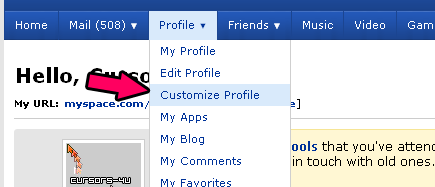
Find Your Cursor on our Web site. Click on the Myspace Tab. Then read the "Myspace 2.0" instructions.
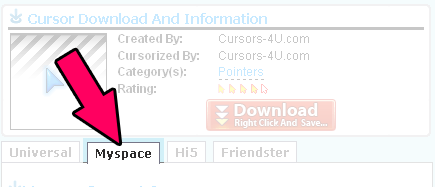
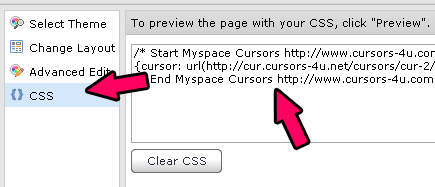
Go back to the myspace page and Click on CSS. Paste The Code (Frst One). Notice I skipped one step according to the instructions I wrote on the cursor...it should be okay to skip that step.
Next Prevew the page.
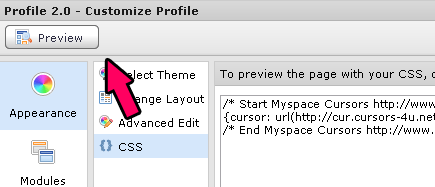
If the cursor appears, it means it works. Last but not least Hit the "Publish" button at the top left of the Myspace Page. Animated cursors do not load in Firefox. If you got any questions leave a comment.
Comments