Last updated Feb 03, 2026 at 03:12am
After some complaints about the cursors still not showing on some users tumblr page, I have another option that should get it to work. First you have to understand that, the reason that these cursors don't appear is not because it's our fault. It's because our CSS codes is conflicting with some users tumblr themes or some of you guys don't follow the instructions. Mostly though a lot of these custom themes that you find on resource sites are pure garbage. Get your themes on tumblr itself, atleast most of them are coded "correctly" Here is the third and final option that some of you guys can try. If this don't work I don't know what will. Sorry, I will not look for another option.- Login and go to your Tumblr page.
- Click on Customize
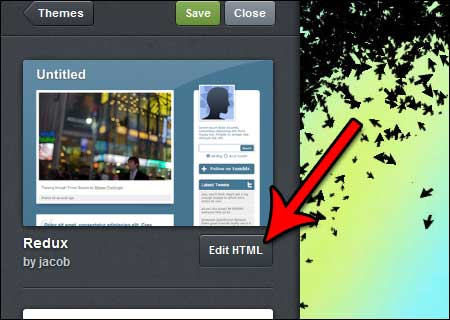
- Click on "Edit HTML"
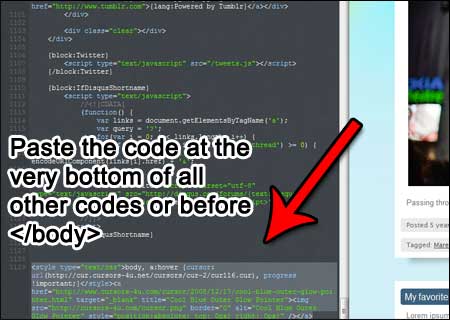
- At the very bottom paste the provided code on the cursor page that you want to use on your website.
- At the top click on "Update Preview". Did the cursor show? If not leave a comment.
- If the cursor is there, click on "Appearance" then click on "Save".
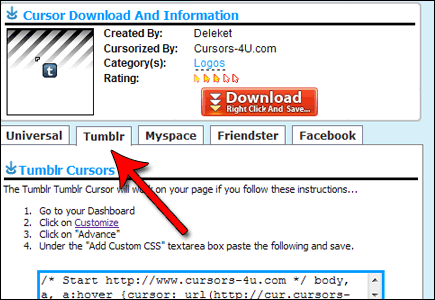
That is the third option. You can also get these instructions on each of the cursor pages. Just click on the "Tumblr" tab on each cursor page, and it should bring up the instructions. IF you got any other questions let me know...
This tutorial is part of another Tumblr Cursor tutorial, on How to add cursors to tumblr.....
Comments