This is Part 1 of how to create cursors. So, I'm going to teach my first tutorial on how to create your on Cursors with Adobe Photoshop and Axialis
Cursor. I often use the combination of the two because it's easy and fast. I'm going to show you how to draw a simple normal pointer.
First off start by creating a new canvas in Photoshop. I'm currently using Adobe Photoshop CS3 but you can use previous versions as far as Adobe 6 I
think. All cursors are 32x32 and that is the size you want to use. Anything larger and windows will automatically resize the cursor to 32x32.
Next go ahead and create a new layer.
Next press CTRL + 0 to zoom in 3200% or 1600%. Most cursors are pixel art. But with Windowx XP and up, you can get more advance with cursors. I
will teach that in Part 2 Of the tutorial but for now we are going to use the standard 32x32 256 color cursor.
Next grab the pencil tool. Pick any color you want. I choose #052a4b. Next draw about 25 pixels down along the edge. 8 Pixels diagonal to the right.
10 Pixels to the right. 18 to the left diagonal. Look at the image at how I drew it.

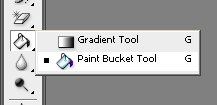
Next Go ahead and fill the cursor with a solid color. I choose #1a9bfd

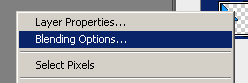
Next right click the layer and choose "Blending Options"
Then choose Bevel and Emboss Use the settings in the image below or mess around with your own.
Click on image for a larger view

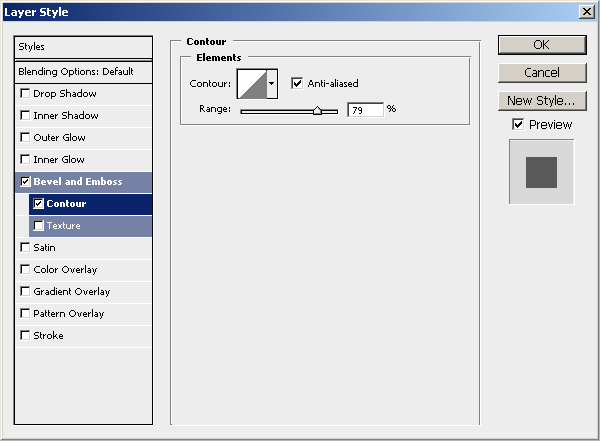
Next check Emboss as well and use the settings I use below or your own.
Click on image for a larger view

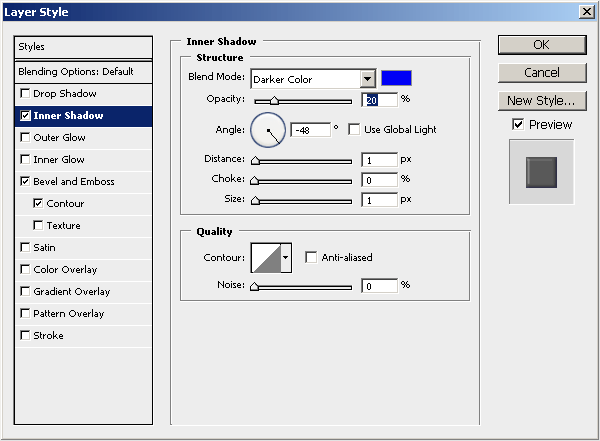
Next check inner shadow and use the settings I use below or use your own.
Click on image for a larger view

You should have an image like the one there.

Right now it looks pretty cool as is, but lets tweak it out a little by adding some more highlights and making it stand out more. Grab the pencil
tool again and start drawing in highlights. Be creative and do it yourself. After a few mintues I did something like below
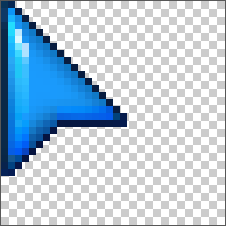
And the final result is...

Save the image as a gif format. Next download and install
Axialis cursor
workshop. It's free for 30 days and is probably the best cursor software out there that I know of.
Open up Axialis, then Open up the image that you saved in Photoshop.
Once it's open press "I" on your keyboard.
It'll ask you to pick which format, just choose "32x32 - 256", Press Okay.
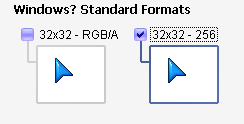
And that's it. It should convert it for you now. Next is to save the cursor. Press "CtrL + S" and save it. You can test it out before saving if
you want. By using their test window in Axialis.
Next if you want to use this cursor on your desktop computer follow my instructions below.
1. Click On "Start"
2. Go To Control Panel
3. Choose "Mouse"
4. Click On "Pointers" Tab
5. Click Browse,Find cursor, and click "Open" then click "Apply"
Below is are variation of cursors that I did with different cursors etc. You can click on the image to download them if you don't want to make them.
Thank you for following this tutorial. If you have any questions please leave a comment. Next up I will show you how to create an animated cursor
in photoshop.

 ♥ HELP
♥ SITEMAP
♥ DONATE
♥ SUBMIT
♥ RSS
♥
♥ HELP
♥ SITEMAP
♥ DONATE
♥ SUBMIT
♥ RSS
♥



 New And Hot
 Site Links